
Understanding real client needs around notifications and alerts to help validate the problem raised within an opportunity
Clients raise concerns that they spend excessive time on our tools, becoming distracted by actions that are not their priority. How might we empower clients with a sense of control, deliver proactive alerts, and deliver accurate status updates when they are most needed?
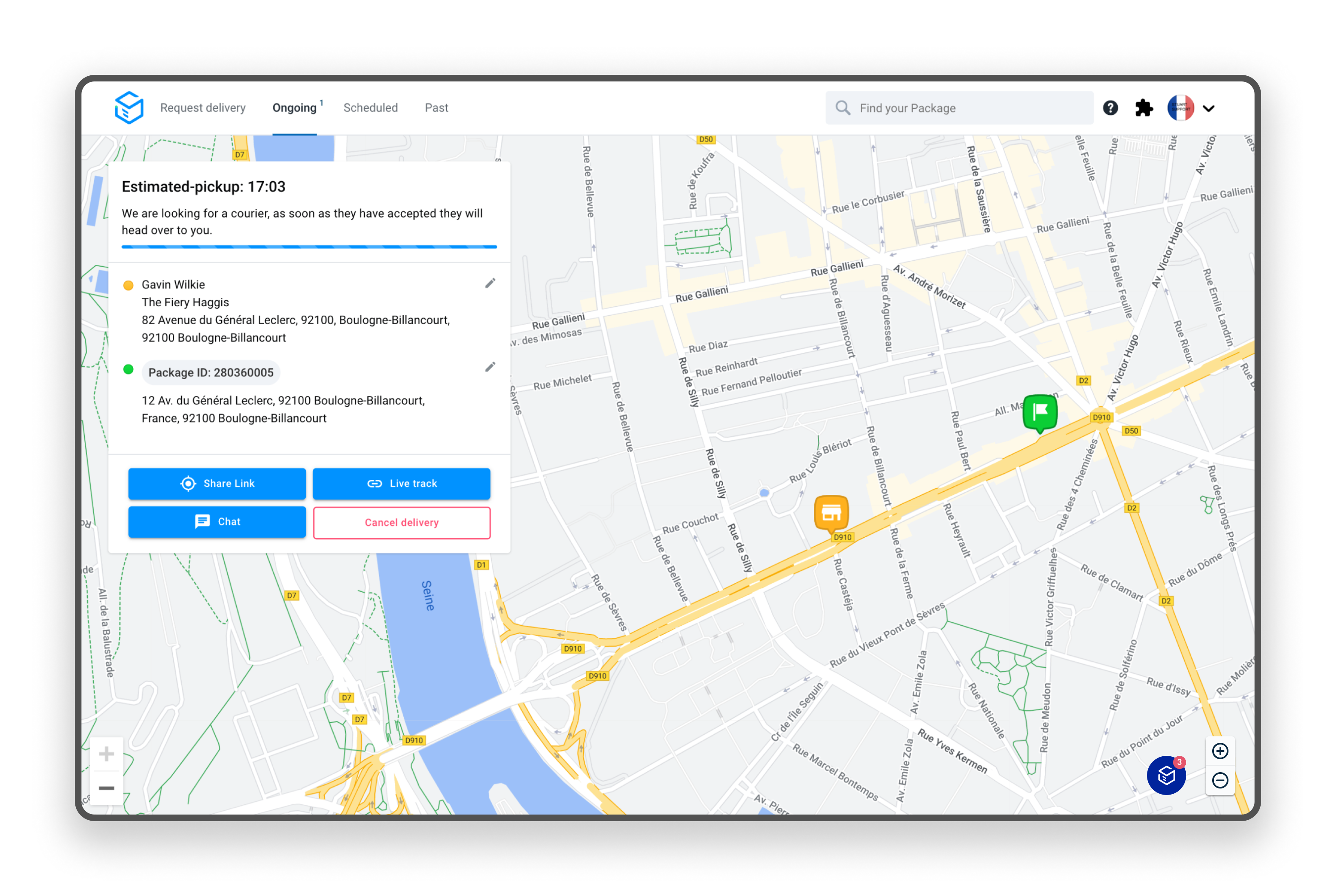
Clients who monitor packages often have to juggle other responsibilities - preparing orders, serving customers, and handling office work. Monitoring typically only occurs when an end customer raises a complaint or issue.
“Would be good if on your app when a push notification comes on for a delayed order I would get a sound notification too, because right now I'm staying in front of the computer 5-6 hours of my day looking at the dashboard and having to manually open chats”
I worked with the Project Manager to validate a notification and alerts opportunity. We quickly agreed on a "Fake Door" experiment to measure real-life client demand without coding a full feature. We ran this experiment for two weeks (or until 200 responses) with clients in the UK and French markets.
Fake Door Experiments have pros and cons. My goal was to brief Stakeholders and Account Managers thoroughly and set clear expectations. The primary risk is user disappointment when they realise a feature is only an experiment, so striking a balance is key to making users feel they are contributing. I sought their input on feasibility for launch to live UK and French clients and confirmation that the experiment's options list was accurate and easy for clients to understand.
Ensuring that our clients can continue their daily operations smoothly is essential. I aimed to make minimal alterations to the dashboard to facilitate clients' access to the experiment. It was crucial for clients to interact and respond naturally, without sensing the presence of an experiment - I aimed to avoid generating "Fake Positives."
My objective was to ensure that clients could carry out their main tasks seamlessly without any disruptions caused by the experiment.
Navigation - I updated the navigation in the current dashboard header to incorporate a new section titled “Notifications”. This serves as the primary call to action for the fake door experiment. All other elements within the header will function exactly as they do today.

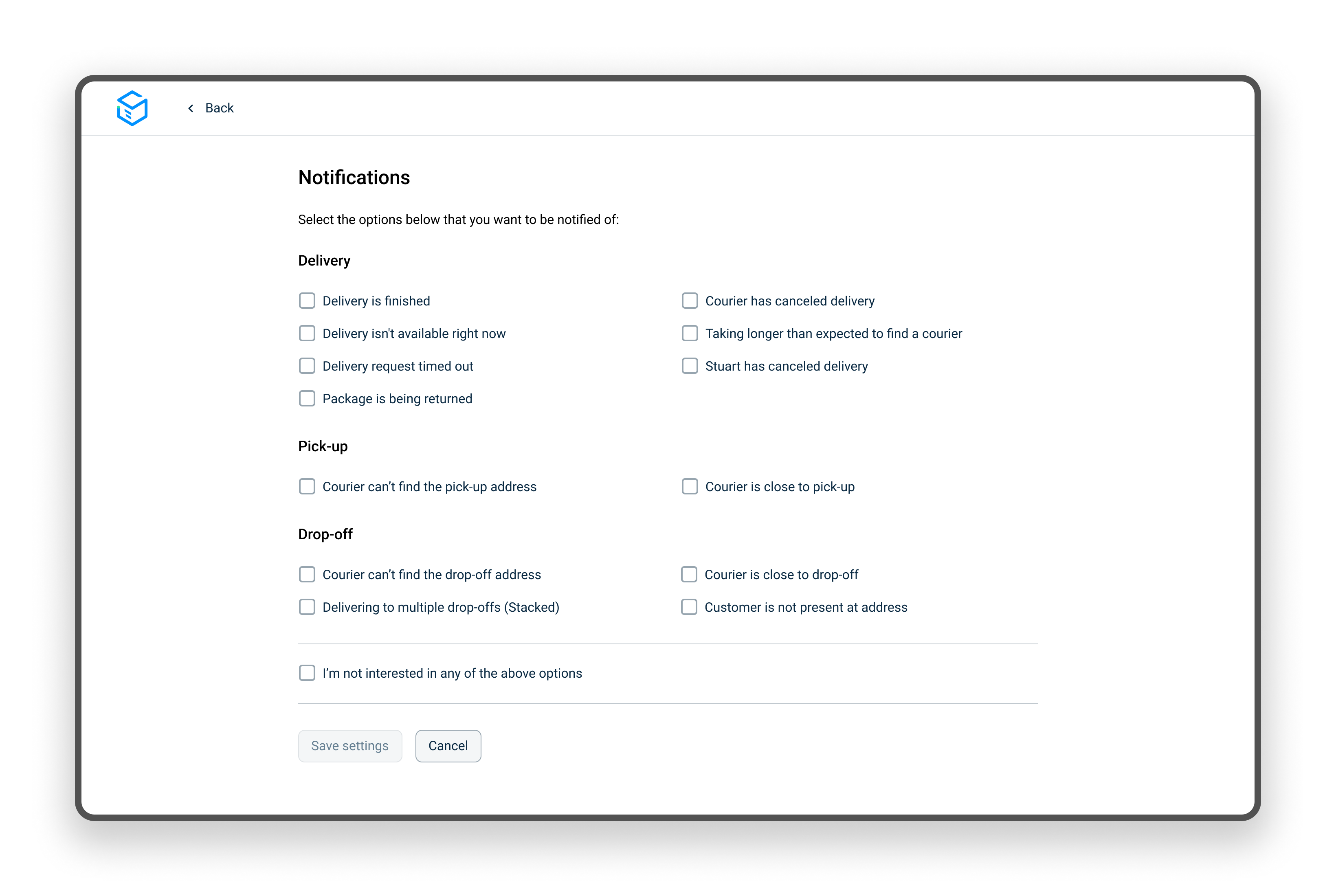
Notifications Page - When clients click on the "Notifications" navigation, they are directed to a new page tailored specifically for the experiment. The design of the Notifications page is not fully polished, but rather a simple UI created to provide a realistic experience for the experiment. Clients have the flexibility to select as many notification options as they require.
For this experiment, we opted not to delve into the specifics of the actual delivery methods such as SMS, Email, or WhatsApp. Our primary focus is solely on determining the types of notification options that pique their interest.
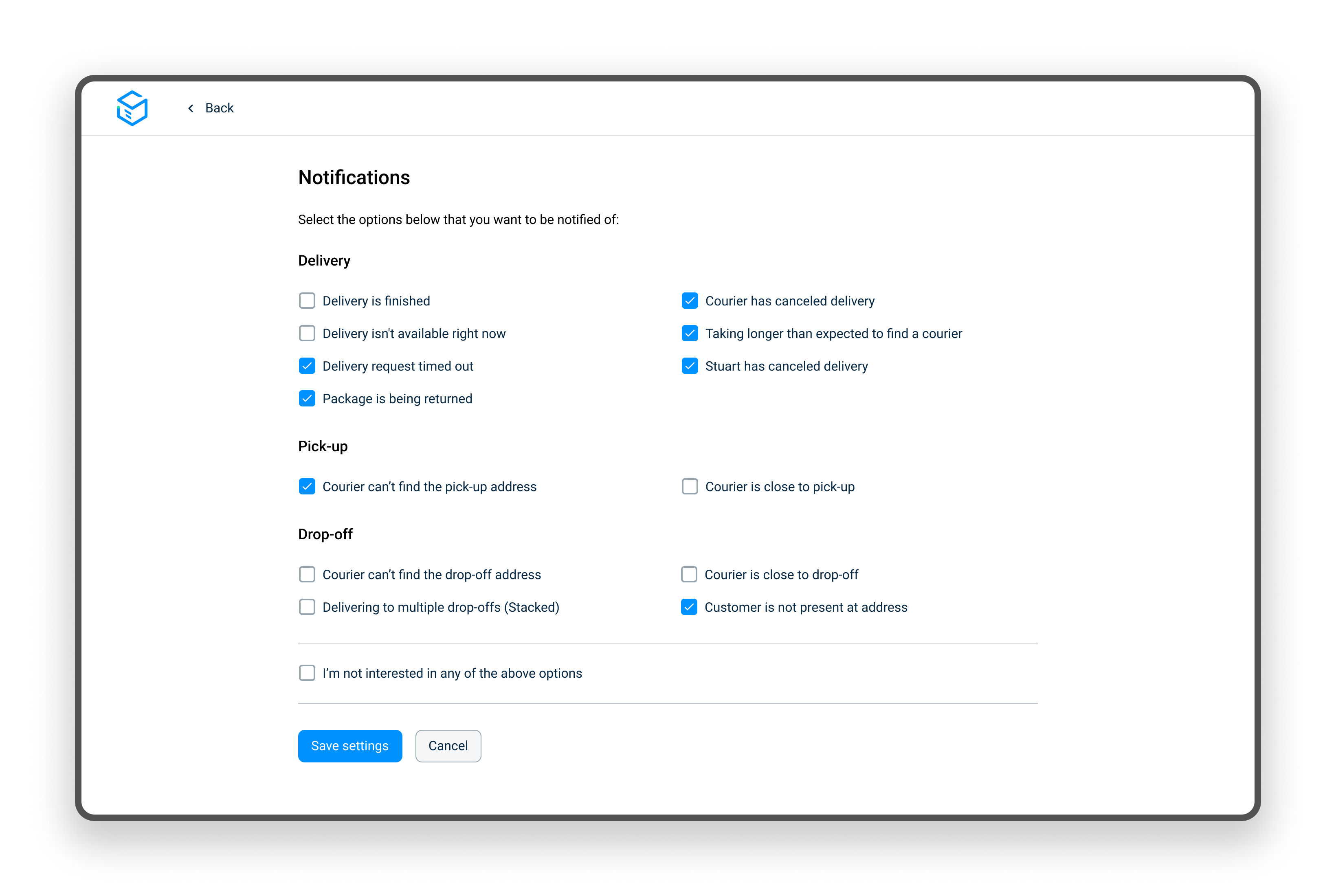
After the client clicks "Save settings" the "Reveal" screen appears. We use this screen to track interest percentages and client selections, collect feedback on the notifications feature, and offer a checkbox for future updates/early access (while clarifying the feature is still in development).
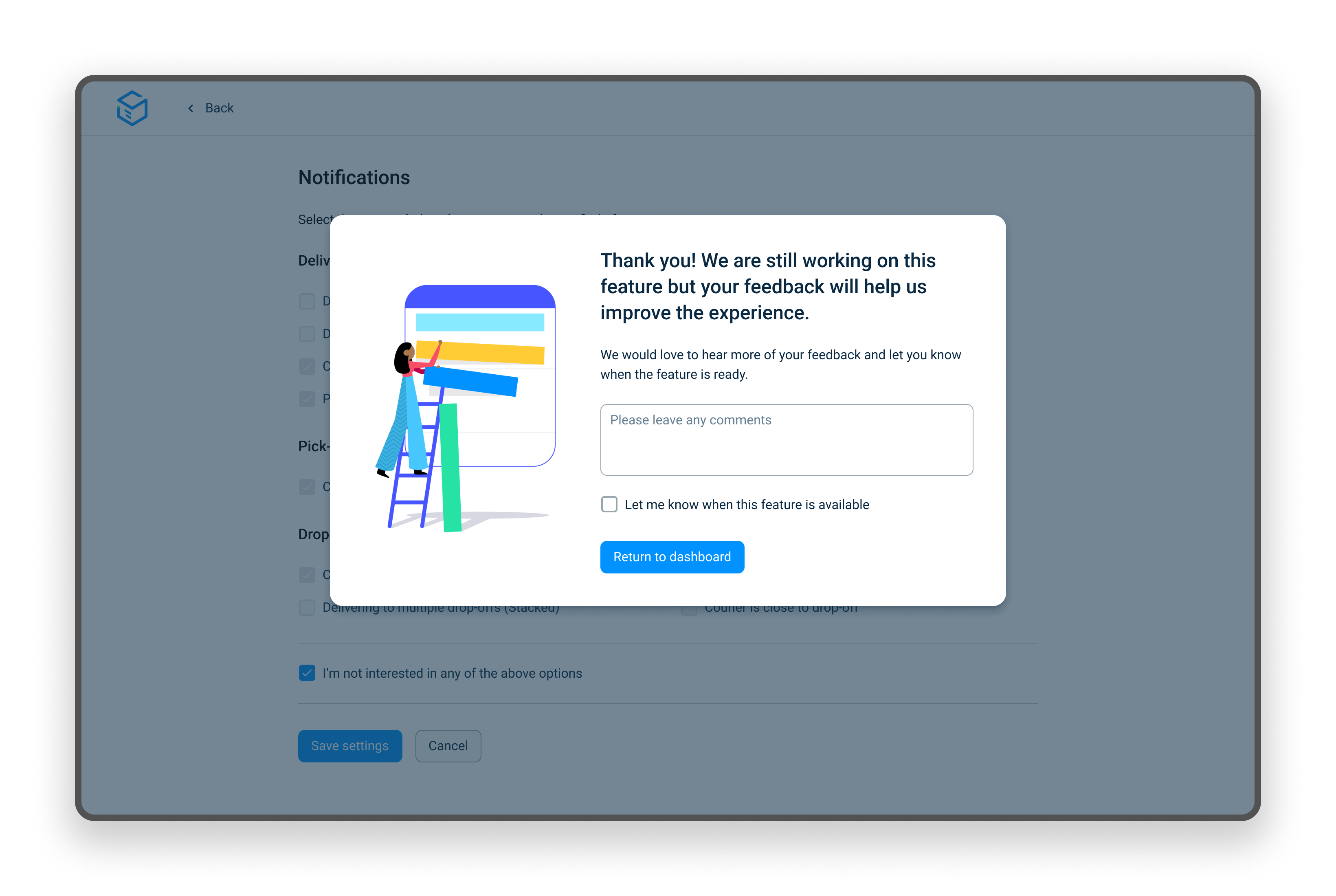
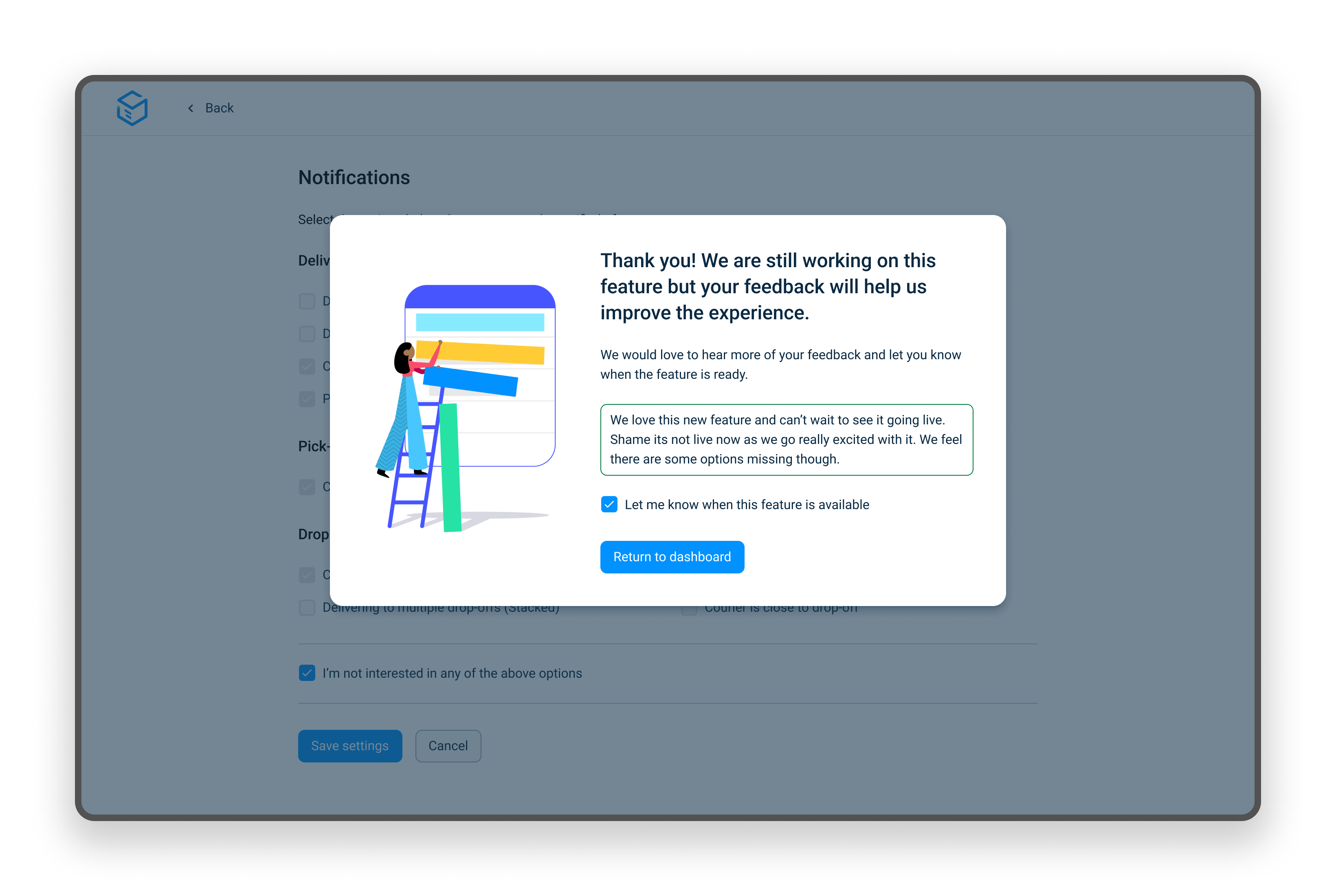
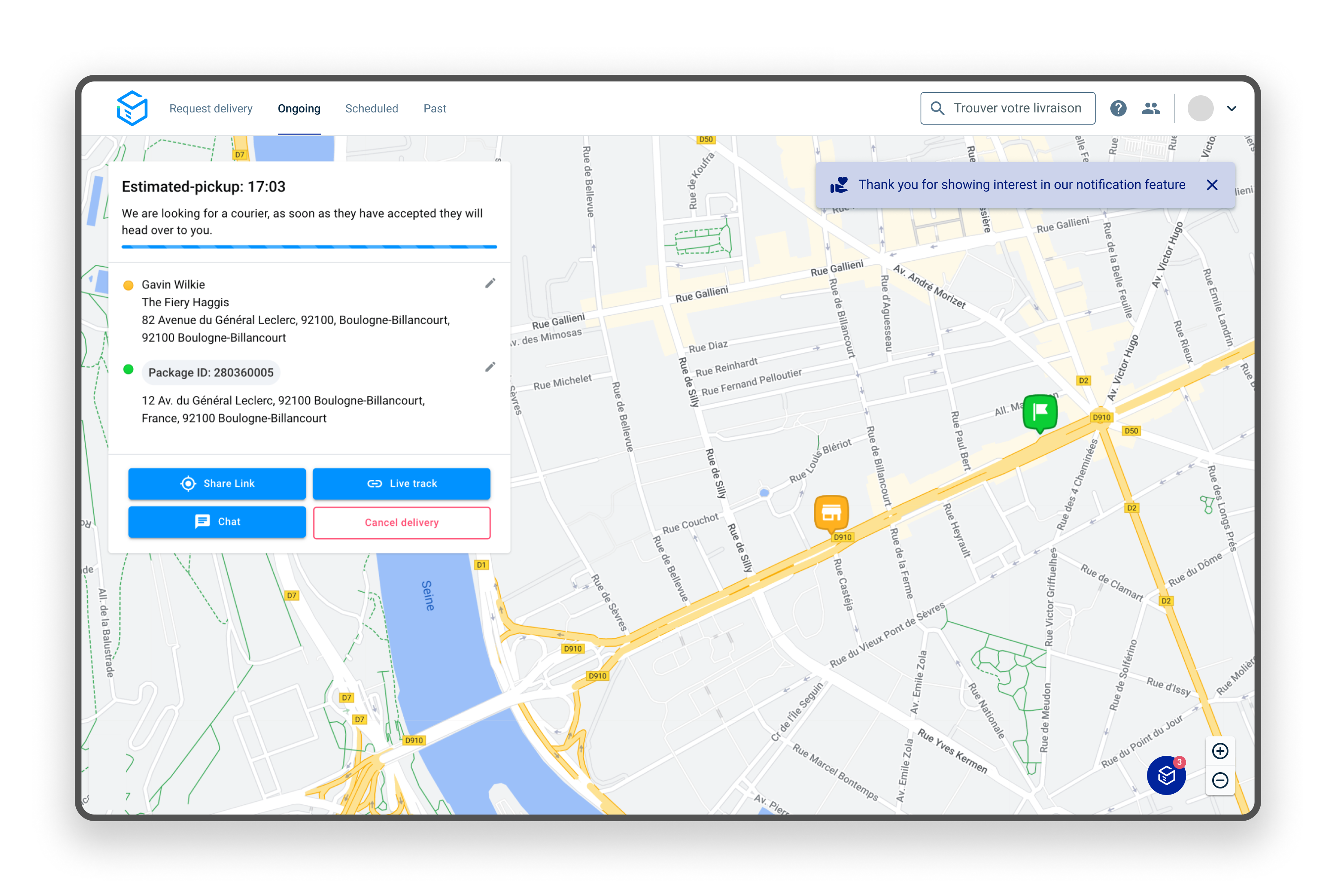
Following feedback submission, clients are redirected to the dashboard with a temporary thank you message (auto-dismissed after 5 seconds). The "Notifications" call to action key is then removed from the top navigation. Upon completion of the two week experiment, we will revert to the current setup.
The rolling average of unique users on the Dashboard request page hovers just below 1000 per day. On any given weekday, we typically observe around 1100 unique active users on the request page, while weekends see a range of 400-700 users.
Over the span of a week, we accumulate approximately 3000 unique users on the request page, and this figure increases to about 4100 unique users over a two-week period.
Consequently, assuming a conservative answer rate of 5% from the pool of 4100 unique users, we anticipate receiving approximately 200 responses, which serves as our minimum target. In the event that we haven't reached this target after two weeks, we will extend the test duration.
Furthermore, if we observe fewer than 5% (~200 users in 2 weeks) of users clicking on the navigation link, irrespective of whether they proceed to answer, we need to reassess the feasibility of proceeding with the feature altogether.
The experiment was still being ran after I had left Stuart, however the team have informed me that The Fake door experiment was a big success. The team went on to release notifications to clients with a focus on delayed and cancelled orders.
I wanted to highlight this experience as it represented a departure from my usual approach. While I had heard of such experiments before, I had not previously initiated or overseen one myself. Initial indicators from the experiment suggested that clients were engaging with the "Notifications" link, with many proceeding to the "Reveal" screen.
Understanding that clients are occupied with their daily responsibilities, I intentionally avoided promoting or pushing the experiment's UI to avoid generating false positives. Instead, I aimed to present it in a manner consistent with how and where it might appear in the final design.
The above is a high level summary of the project. If you would like to know more of the details then please feel free to get in touch with me.